Start here
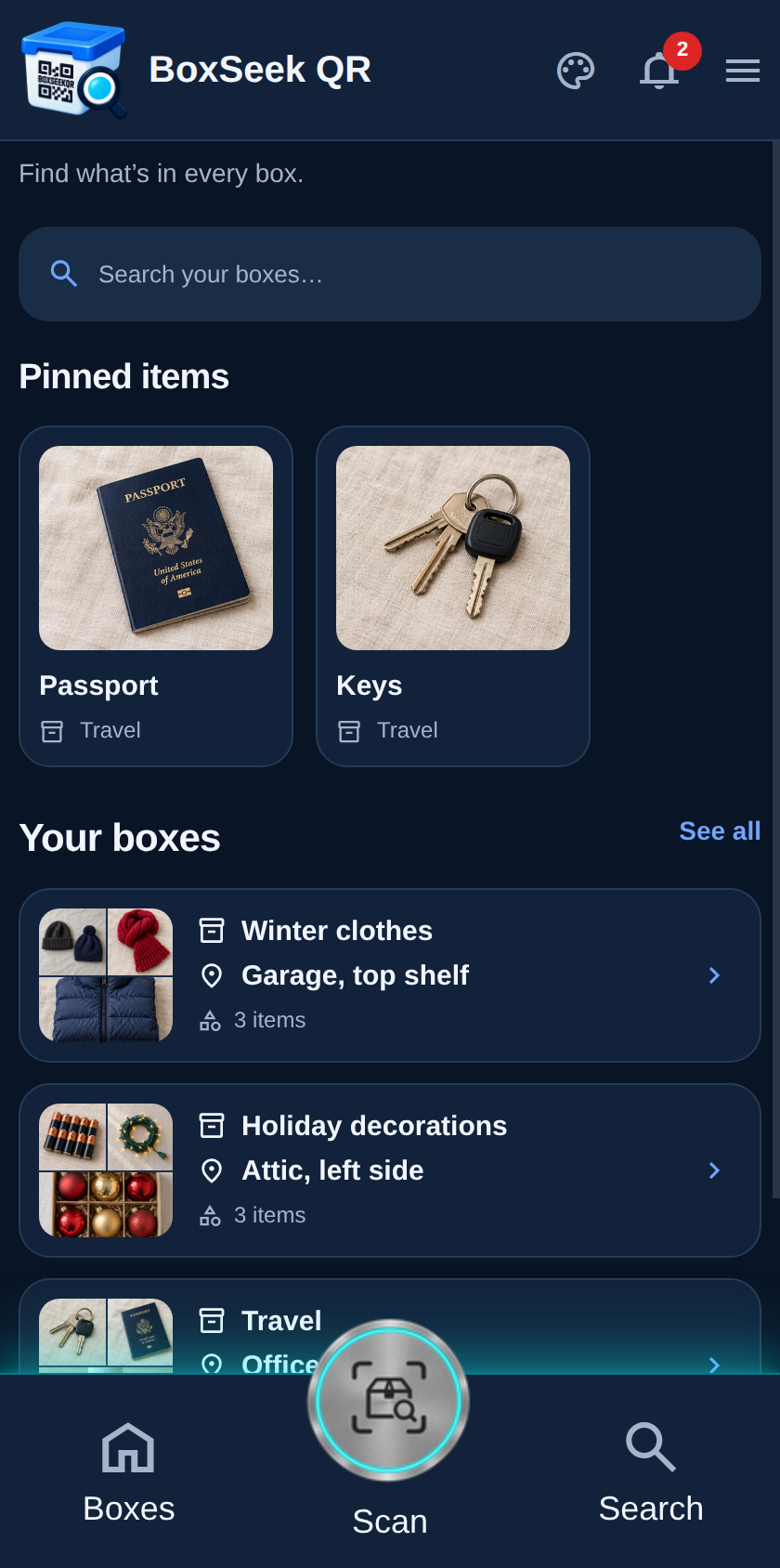
What the app looks like with demo products
A new install loads a few sample boxes so you can explore before you add your own. Winter clothes, Passport, and the other samples stay until you remove them from More.
 BoxSeek QR
Tutorial
Step-by-step tutorials
These how-tos start from the demo inventory, then walk through boxes, items, labels, scanning, search, lending, alerts, pinned items, and More settings. Each step includes a phone screenshot captured from the live web app.
A new install loads a few sample boxes so you can explore before you add your own. Winter clothes, Passport, and the other samples stay until you remove them from More.
How-tos
Want the longer everyday guide? See /docs. Capture recipe for regenerating these shots: TUTORIAL-RECIPE.md.