Step 1
Cold and heat warnings
On More, Cold & heat warnings uses an outdoor forecast for your storage city. Items you marked cold- or heat-sensitive can then appear in Alerts. Until a city is set, the card says Choose your storage city.
 BoxSeek QR
Tutorial
Tutorial 13
Tell BoxSeek QR where you store things and when your seasons start, so Alerts can warn about cold, heat, expiries, returns, and the turn of the seasons.
On More, Cold & heat warnings uses an outdoor forecast for your storage city. Items you marked cold- or heat-sensitive can then appear in Alerts. Until a city is set, the card says Choose your storage city.
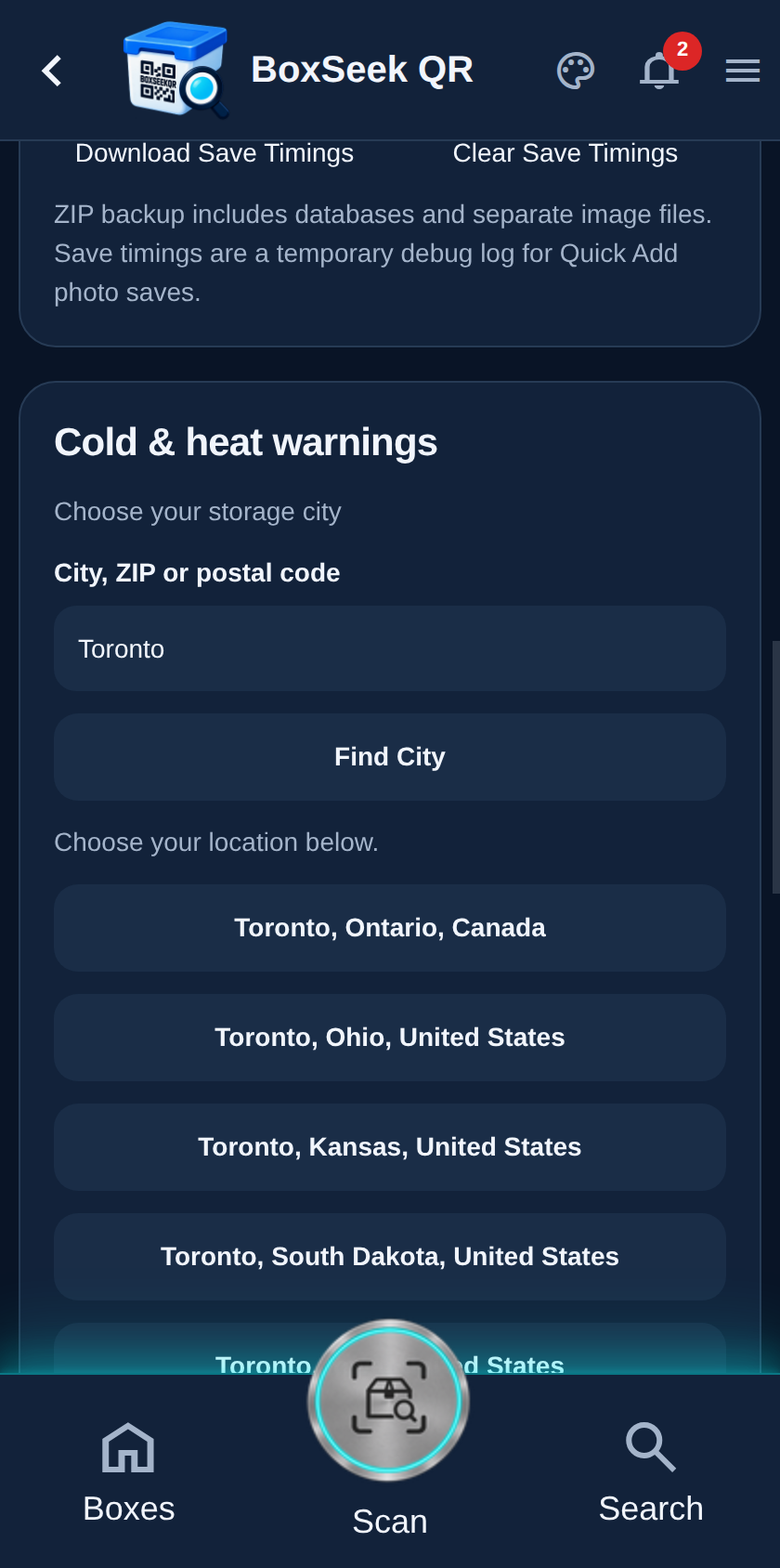
Type a city, ZIP, or postal code, then tap Find City. Choose the matching place from the list. Forecasts refresh when you open the app and from Alerts → Refresh forecast.
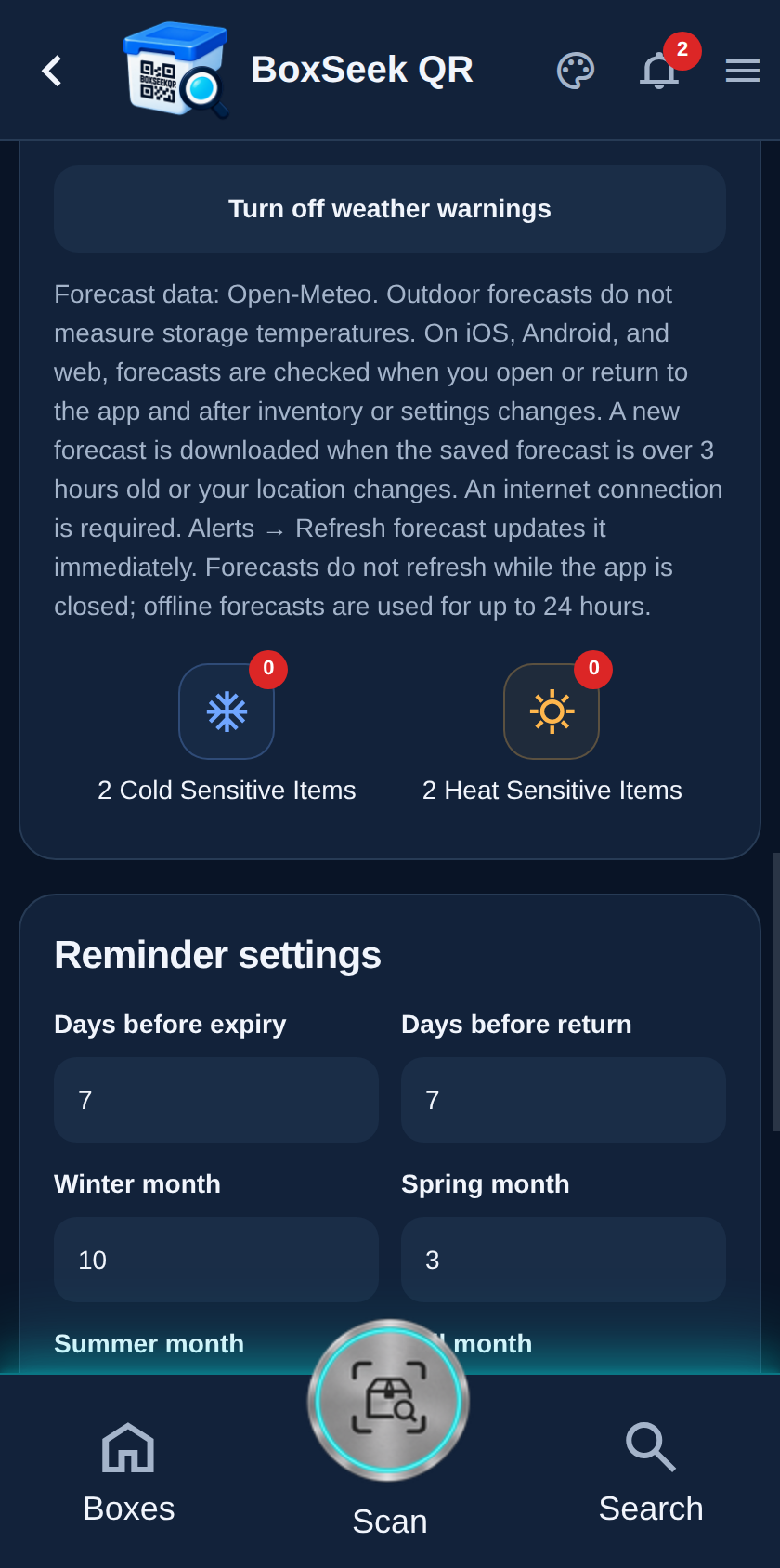
After you pick a result, the card shows that city. Turn off weather warnings clears it if you move or want forecasts off. Remember: forecasts are outdoor readings, not the temperature inside a bin.
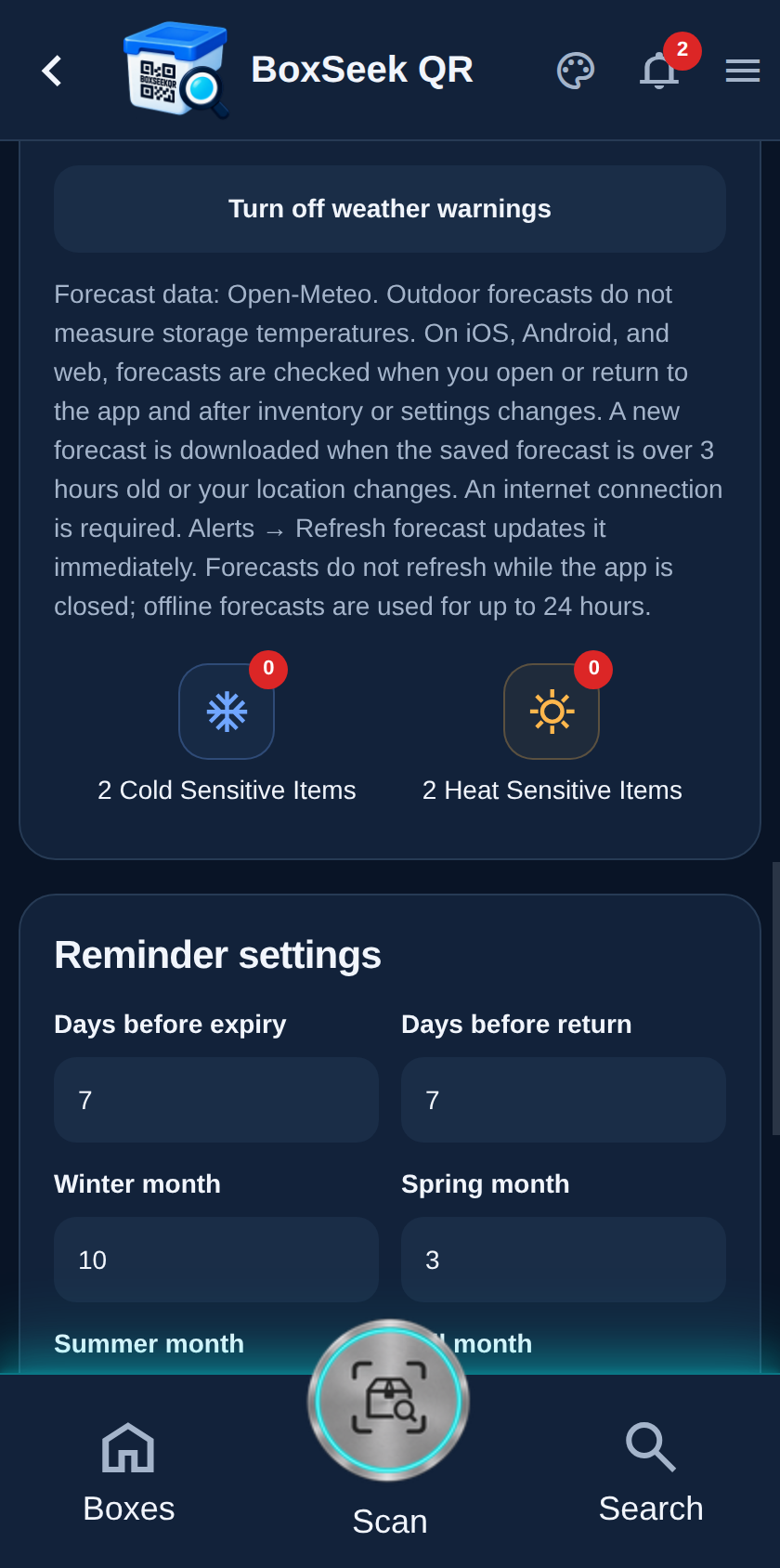
Reminder settings sets days before expiry and return alerts, plus the month number (1–12) when each season starts. Tap Save reminders so Alerts can surface Next season and due-date heads-ups on your schedule.