Step 1
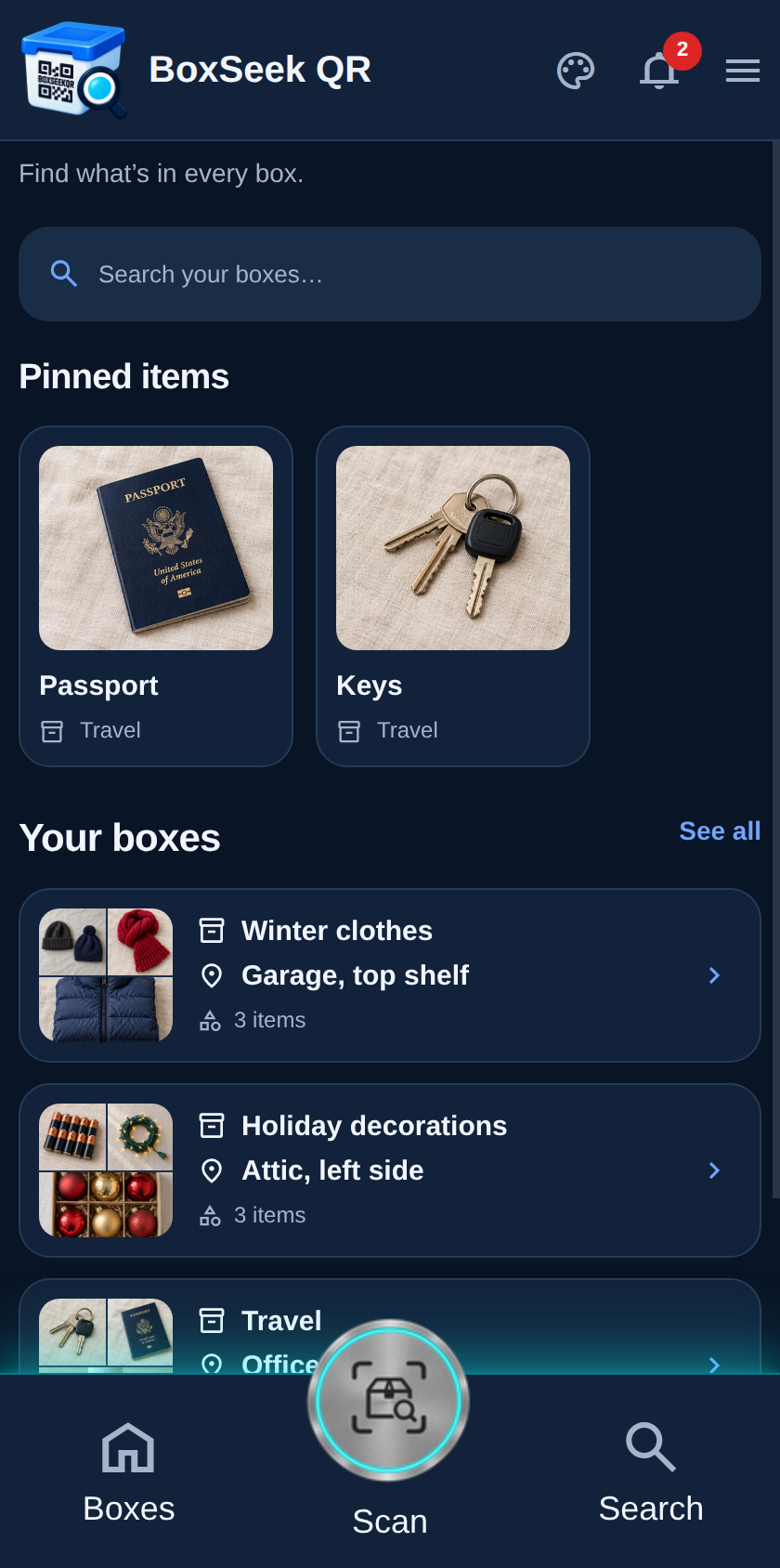
Start from Home
After the introduction, Home shows the sample inventory. You can explore these boxes first, or go straight to Boxes to add your own.
 BoxSeek QR
Tutorial
Tutorial 01
Add your first box. This walkthrough starts from the demo home screen and ends with Camping gear on your Boxes list.
After the introduction, Home shows the sample inventory. You can explore these boxes first, or go straight to Boxes to add your own.
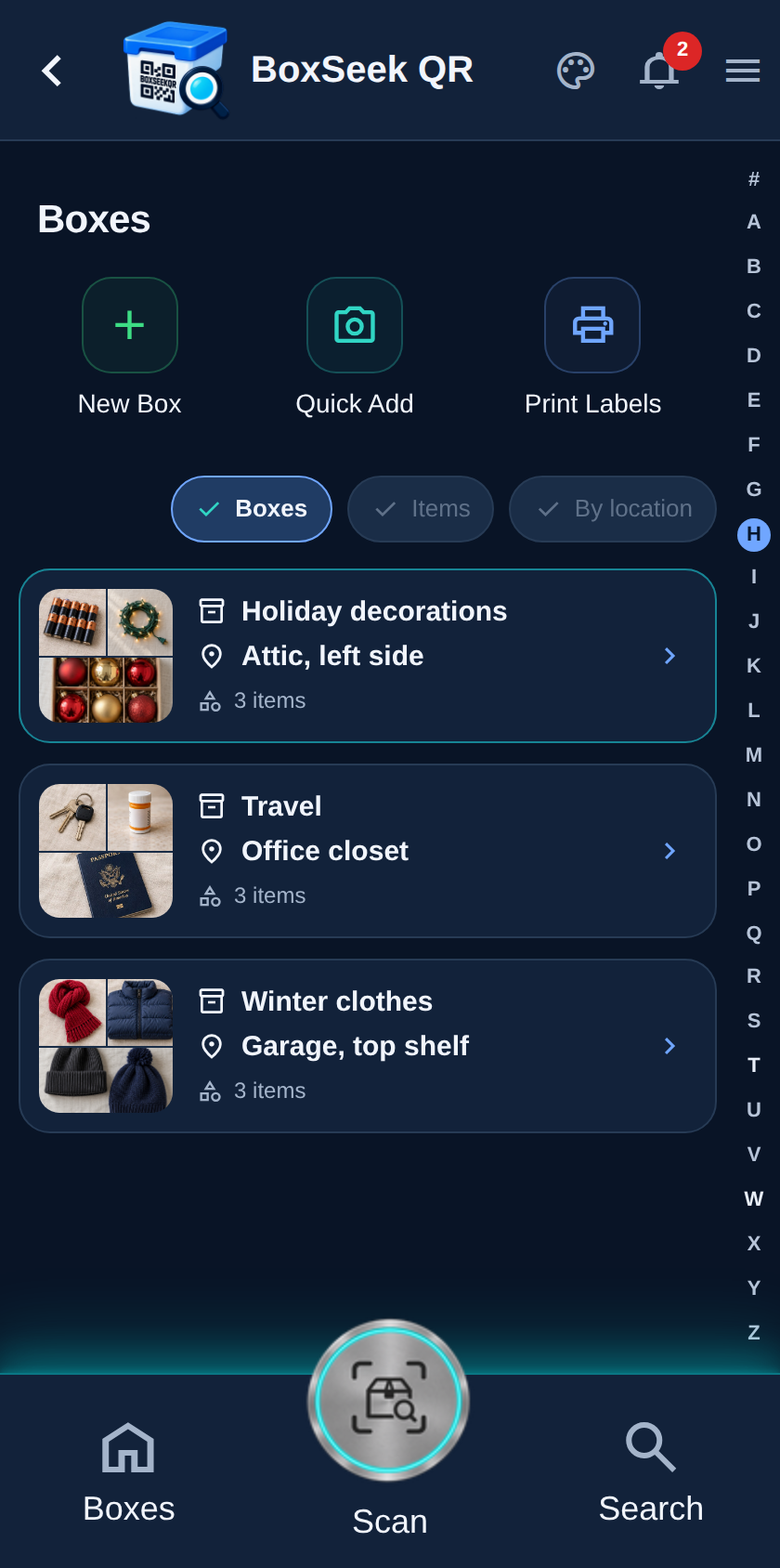
Tap Boxes in the bottom bar. This is the full list of every box in this inventory, with New box at the top.
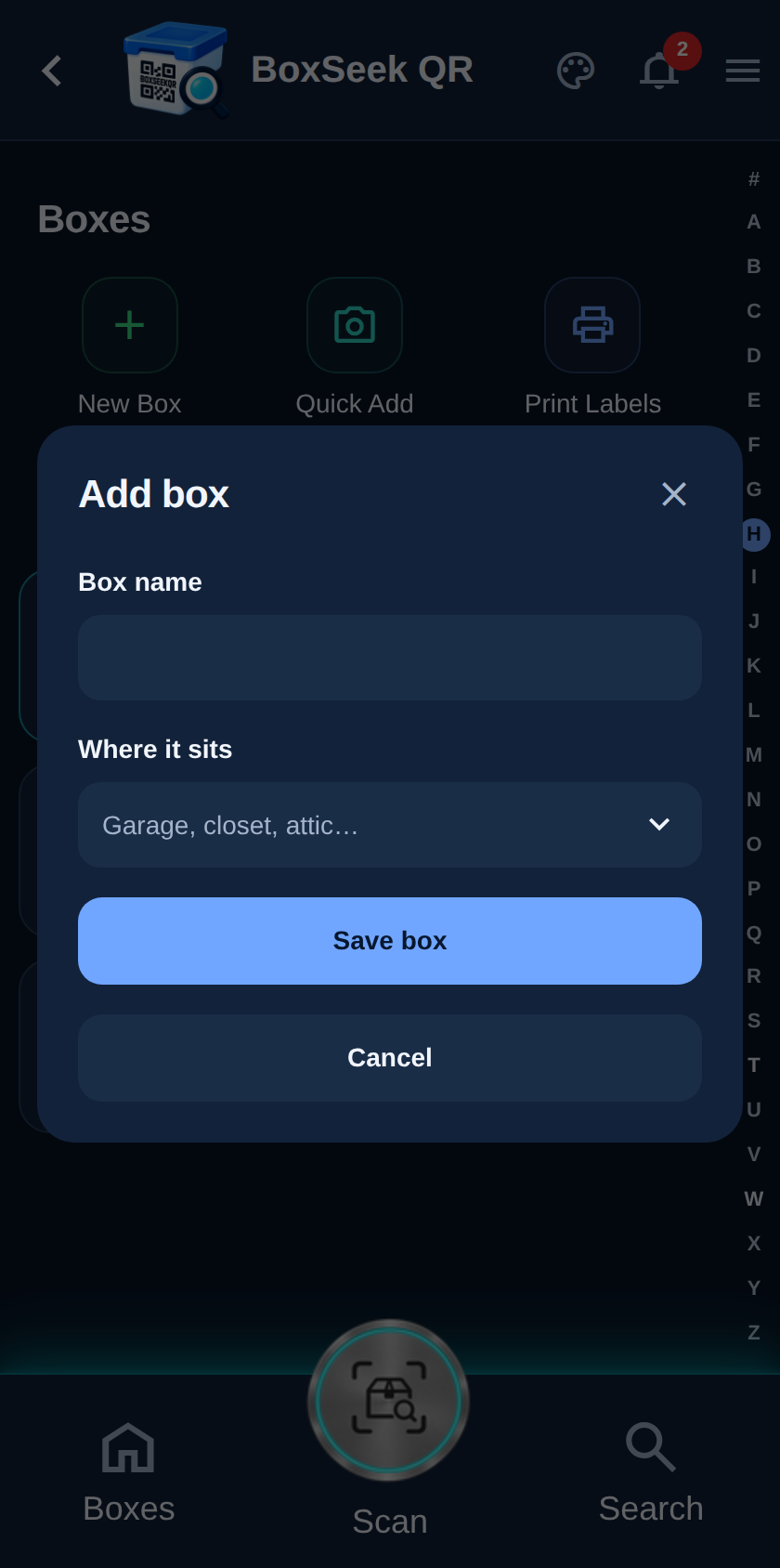
Tap New box. A sheet slides up asking for the box name and where it sits.
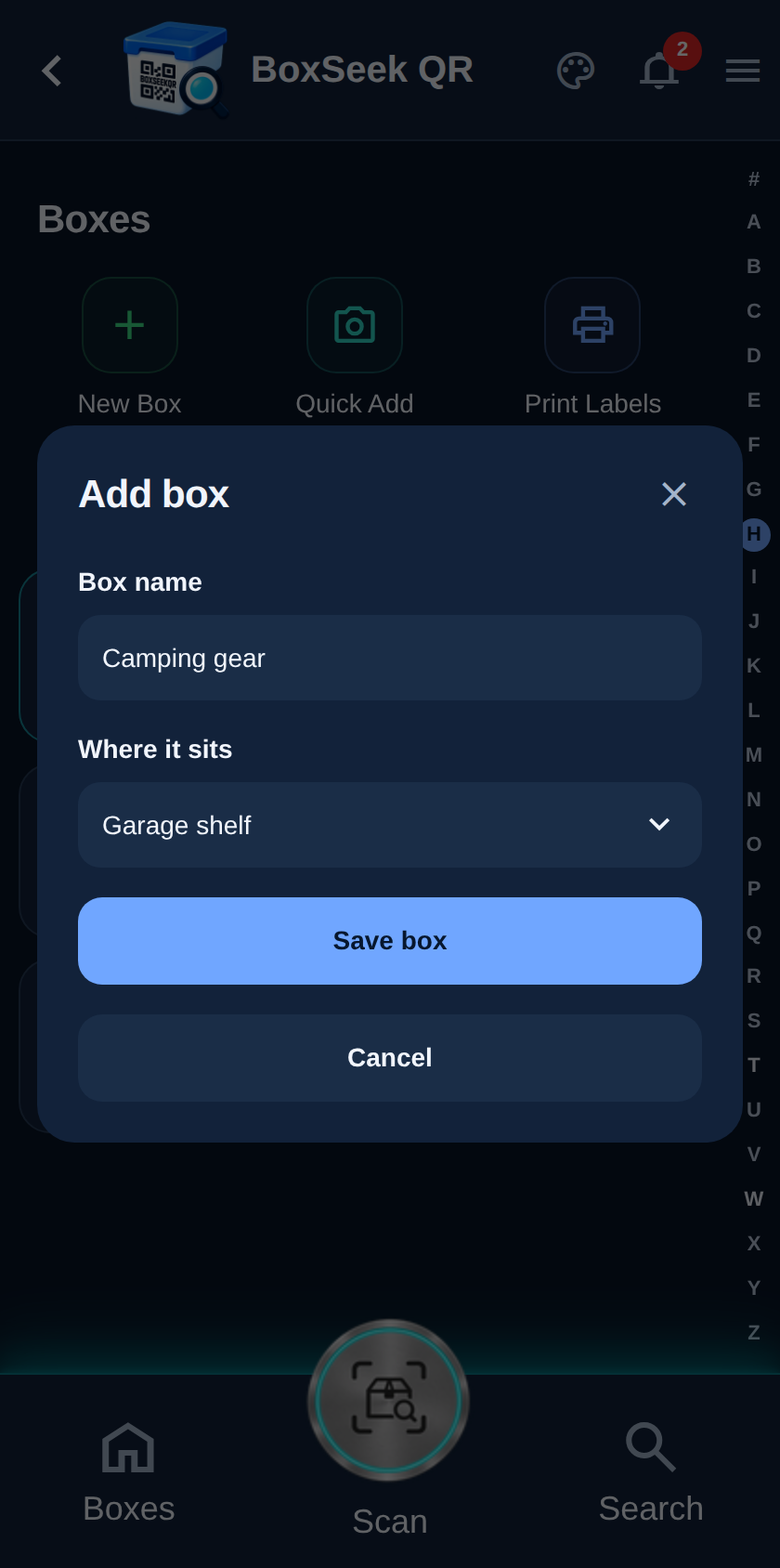
Type a clear box name and where you keep it. Short place names like Garage shelf or Hall closet make Search and alerts easier later.
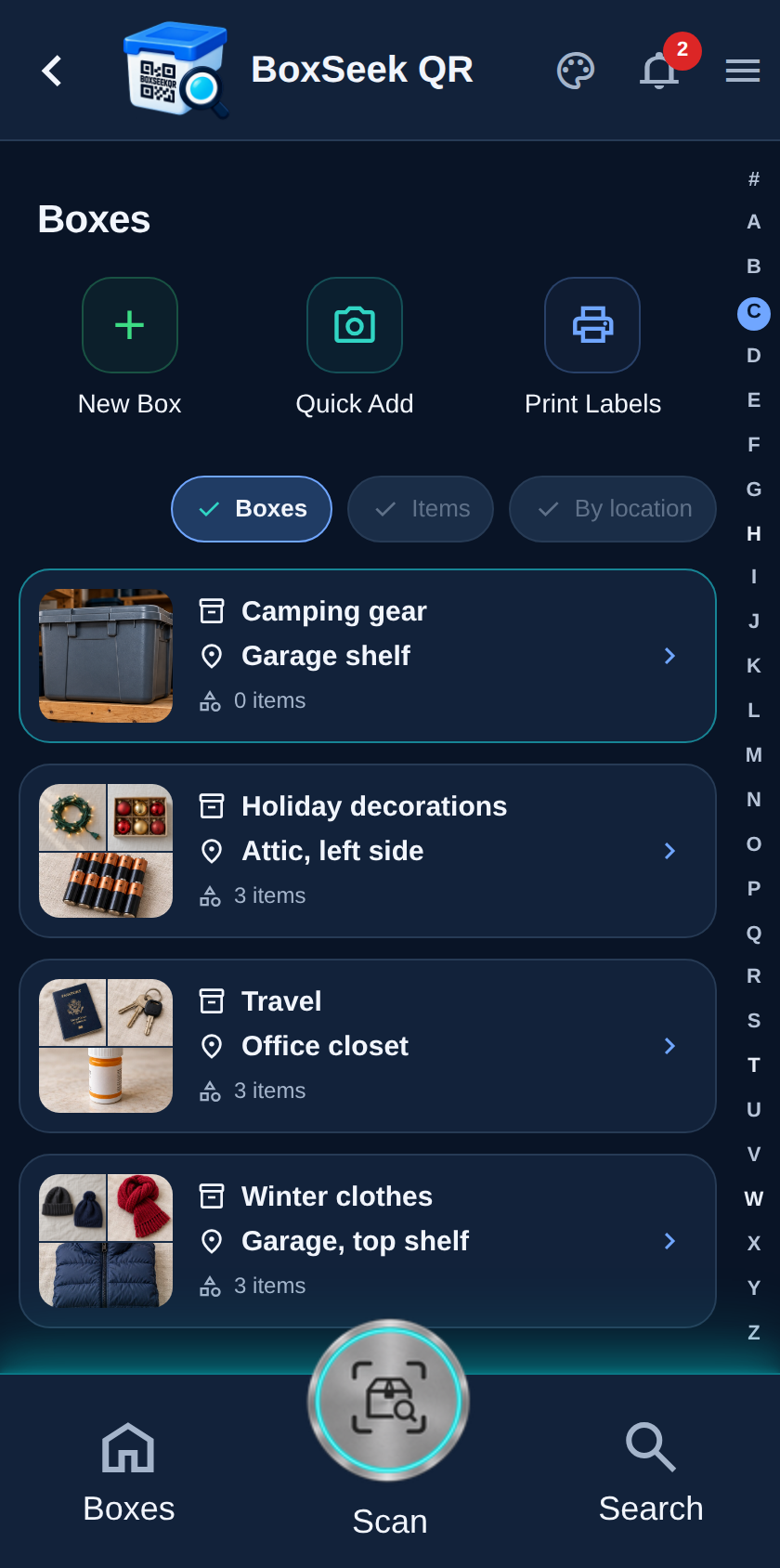
Tap Save box. Camping gear appears in your Boxes list with Garage shelf under the name. Open it any time to add items.